Author: Sagara Technology

  • Free Platforms Prototyping for Apps or Web Design

    Free Platforms Prototyping for Apps or Web Design

    Prototyping is an essential part of any digital design process. It helps us simulate our designs, explore different user experiences, and test out journeys and user flows within our projects.

    Prototyping isn’t so hard, especially if you follow best practices and toolset adjusted to your skills.

    Prototyping tools can help create a website or app with little cost and relative ease — from a rough design idea to a finished product.

    There are plenty of web design tools around, but prototyping tools have come into their own in recent years. With these prototyping tools, you’ll be set to meet any design challenges you might face, whether you want to create something beautiful or technical from an idea. With any prototype, it’s important to test and play with your interface so you can validate the experience.

    Here is a list of prototyping tools to build sites and apps for desktop and mobile devices. There are tools with templates and built-in design elements for animations, gestures, transitions, and customized content. Most of these tools come with a price tag but some give free access for a single project or limited pages, letting you find the right application for your project.

    1. Figma
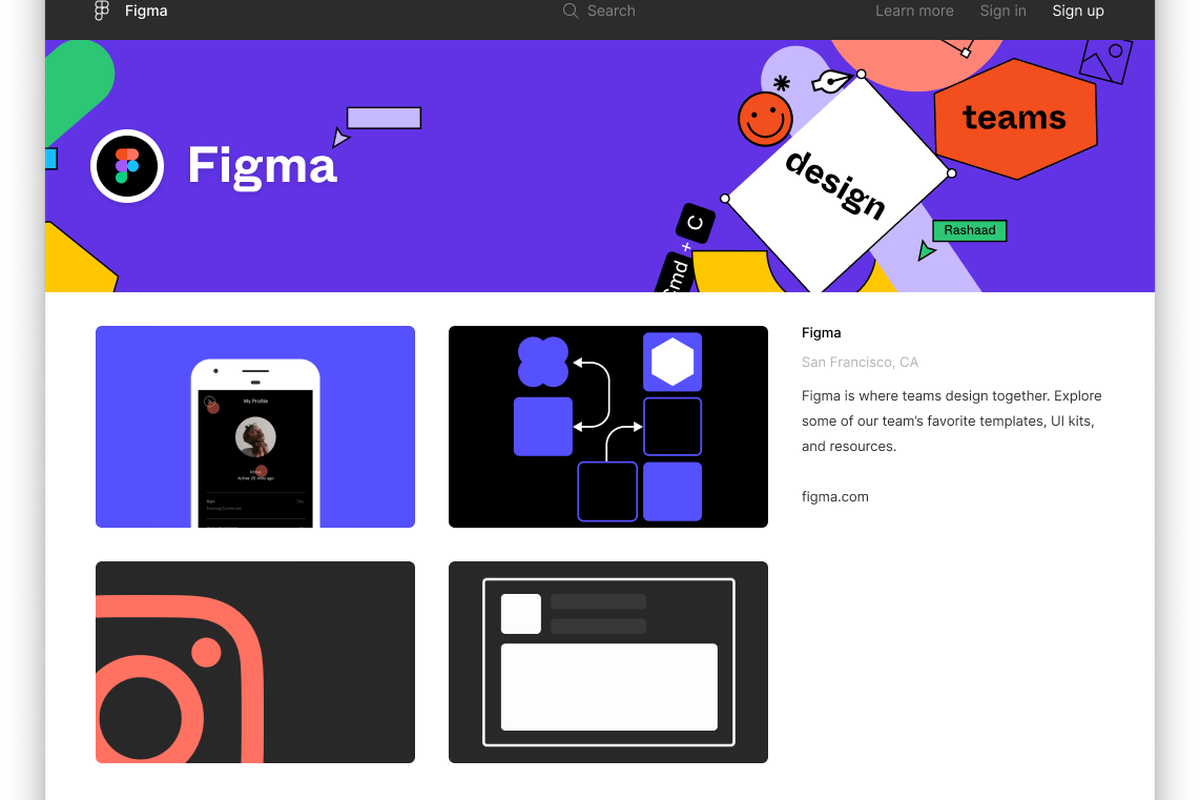
    Figma for build UI/UX

    Figma is a browser-based UI and UX design application, with excellent design, prototyping, and code-generation tools. It’s currently (arguably) the industry’s leading interface design tool, with robust features that support teams working on every phase of the design process.

    There are few free kits on Figma, but the ones available can help mobile developers get started. The latest iOS Facebook kit and Android UI kit are ready to use. There is also a link to Figma Resources where the community submits the latest mockups, icons, kits, and other resources.

    Price: Free for individual users. Professional plans start at $12 per month.

    Read more: The Golden Rules of User Interface Design

    2. Sketch
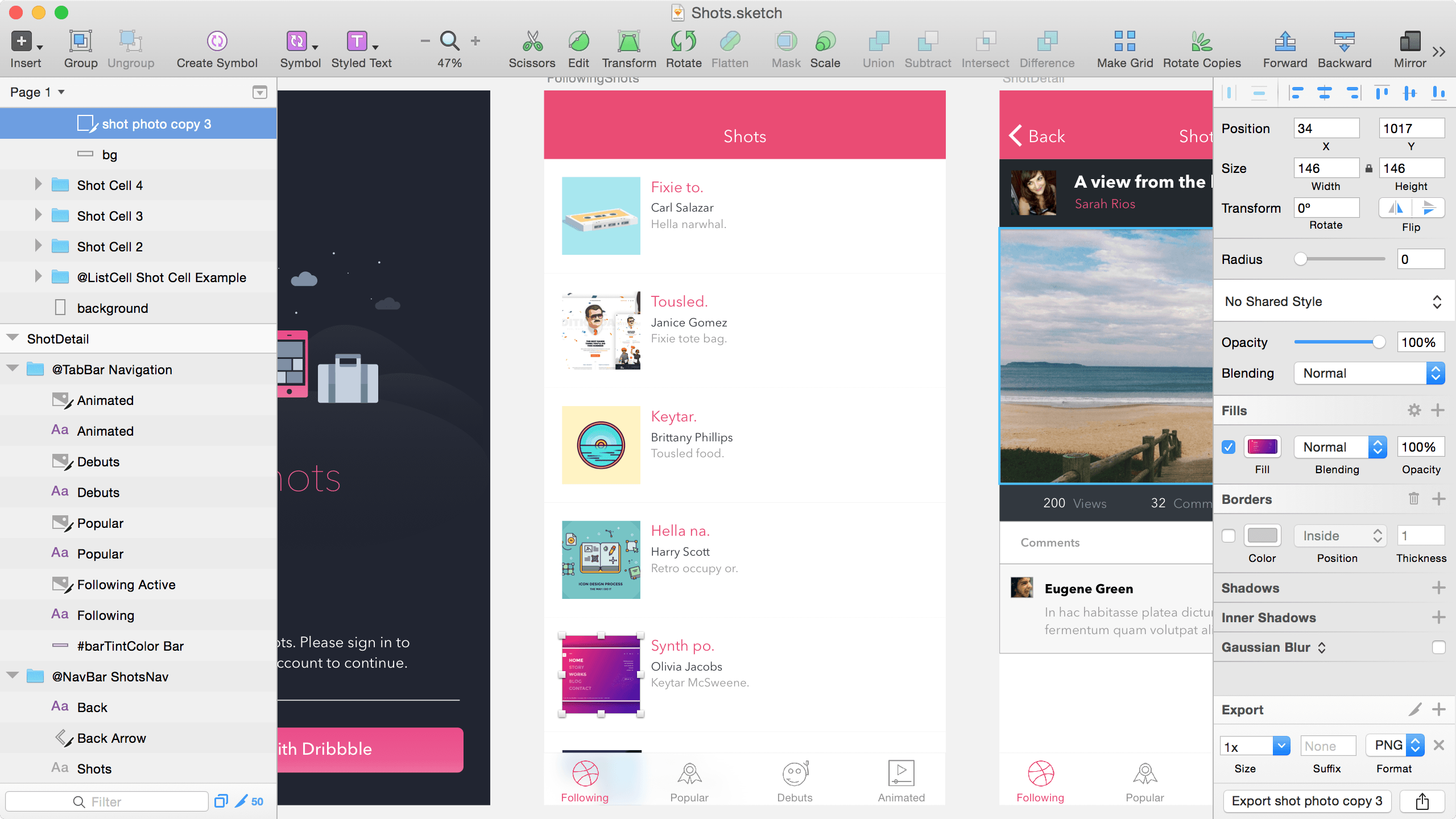
    Image for post

    The sketch is a popular platform to create digital designs and prototypes. Easily create responsive, reusable components that automatically resize to fit your content. Share designs, provide feedback and collaborate with your entire team — all in a single workspace. Add viewers to preview and comment for free, and only pay for designers who edit and upload designs. Sketch has an active third-party developer community, expanding the platform with hundreds of extensions.

    Price: Free.

    3. Adobe XD

    Image for post

    Part of Adobe’s Creative Cloud, XD is a platform to help teams design and collaborate. Create your project with artboard guides and layout grids. Switch from design mode to prototype mode, and connect artboards to communicate the flow and paths of multiscreen apps. Use auto-animate, voice triggers, overlay support, timed transitions, and more. Generate shareable links to get feedback on your designs. Record prototype interactions as videos.

    Price: Starter plan is free for one active shared prototype. The standard plan is $9.99 per month per user.

    4. Marvel
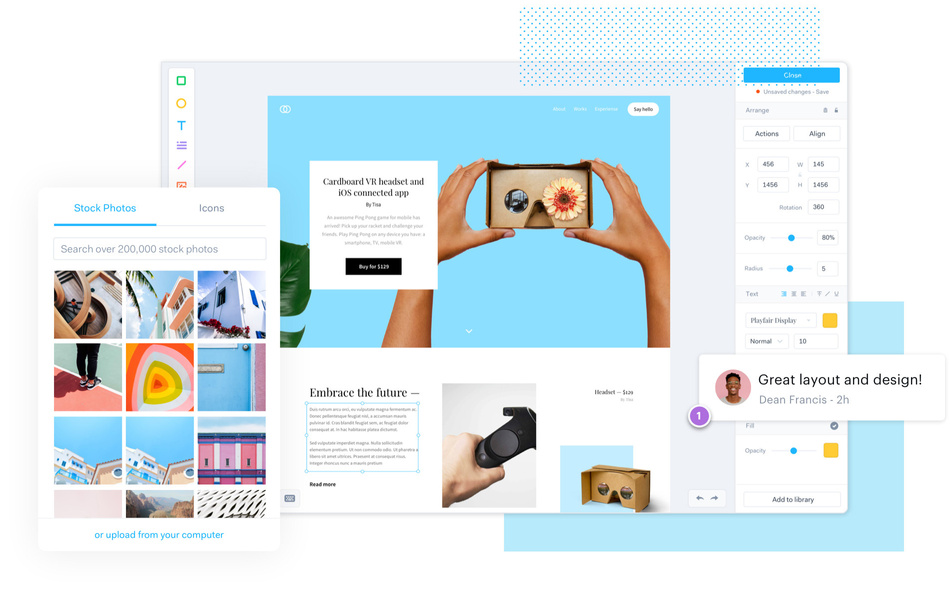
    Image for post

    Marvel is a design platform to quickly transform mockups into interactive web or app prototypes without writing code. Create screens directly in Marvel or from Sketch or Photoshop. Add hot spots, layers, transitions, and gestures, such as swiping or pinching. Share links and embed codes to start getting feedback.

    Price: Free for one project. Premium plans start at $12 per month.

    5. Craft

    Image for post

    Craft is a free plugin for Photoshop and Sketch that streamlines your design workflow by automating tedious actions and pulling in more realistic sample data. Create interactive prototypes in Sketch via Craft Sync to build and share in minutes. Rapidly capture feedback throughout the product design process in real-time.

    Price: Free.

    6. Proto.io
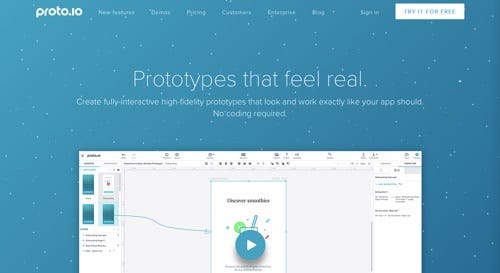
    Image for post

    Proto.io is an application to create prototypes and wireframes with customizable templates. Combine the elements you need, add interactions, and create wireframes and prototypes in minutes. Mix and match templates for any website or app — from blogs and news portals to corporate websites and online storefronts.

    Price: Free account with limited features. Premium plans start at $24 per month.

    7. Origami Studio

    Image for post

    Origami Studio is a prototyping tool from designers on Facebook. Create layers or import layers from Sketch. Use masks, particle systems, and live cameras. Save time with pre-built components, or make your own library. Build flows and interactions. See changes immediately in the viewer. Test and adjust on the fly.

    Price: Free.

    8. Vectr
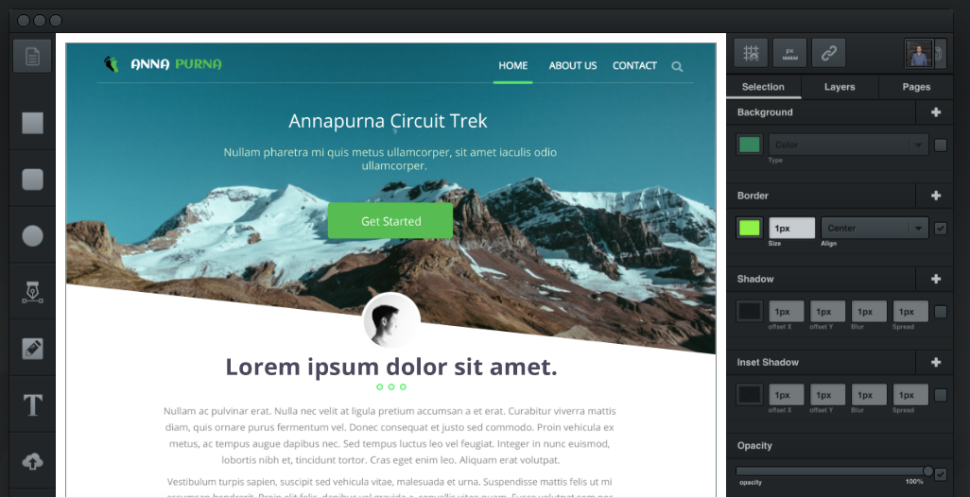
    Image for post

    Vectr prototypes can be shared with a URL and integrated into apps like Slack for powerful collaboration. As an added bonus, those you share your mockups with can annotate and edit them.

    At the moment, Vectr isn’t as feature-rich as many other options, but this shouldn’t deter you from getting familiar with it. A roadmap for the app has been published, detailing an impressive list of slated features. These include fully-offline desktop apps, more platforms, built-in version control, a built-in design assets marketplace, full collaborative editing, image effects, plugins, clickable mockups, built-in feedback and annotation tools, and offline desktop apps.

    Price: Free.

    Read more: The Fundamentals of UX and UI Design

    9. Adobe Comp
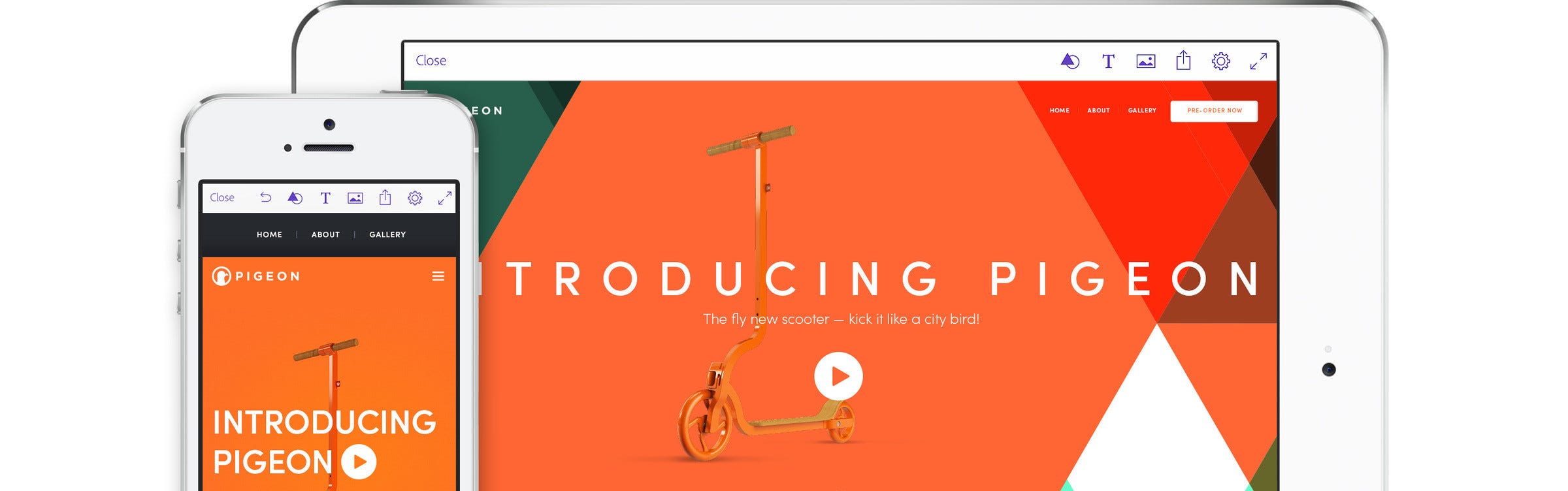
    Image for post

    Adobe Comp offers the tools that you require to change natural drawing gestures into production-ready graphics. This tool allows you to create print, web and mobile layouts easily, which can be integrated with Photoshop, Illustrator, and InDesign.

    It works with Adobe Stock and Typekit and offers you images, graphics, and numerous fonts that can be merged when you work on your design prototype. Adobe Comp has a user-friendly design and it offers several tutorials to help new web designers to design and develop prototypes easily.

    Price: Free.

    10. InVision
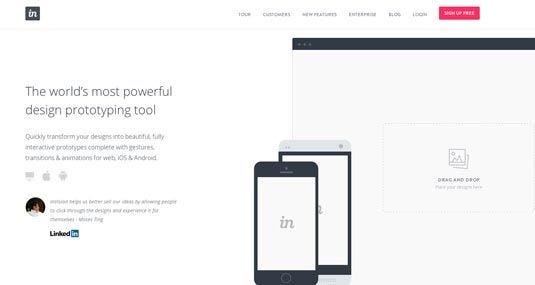
    Image for post

    InVision is one of the most popular prototyping tools in the world as its team adds new features constantly and help designers to create prototype more efficiently and easily. Smooth Management of project feedback is one of the best features of this tool. Clients and design teams can easily give their feedback directly on the prototype.

    With the help of InVision’s project management page, you can easily organize design components into a status workflow and set them into appropriate columns. Using this tool, you can easily animate, design assets, import design files from Sketch or Photoshop, preview prototypes on mobile devices and link pages to simulate real-life websites. This tool easily gets integrated with apps like Slack, Dropbox, Box, and others.

    Price: Free.

    As you can see, you can create the first prototype of your product without having a team or being a non-designer. The toolset that could be used in this case is not complex at all. Plus, the internet is full of free templates, user interfaces to download and inspirations that can take your web or mobile app prototype on the next level.

    Now, when you have a ready, good enough looking and tested by users prototype — let’s build it!

  • Step by Step of User Experience Design for Digital Product

    Step by Step of User Experience Design for Digital Product

    User Experience Design

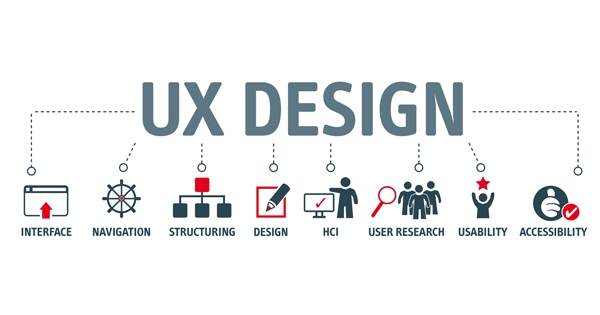
    “UX”, or “User Experience Design” is how a user feels when they use a specific product or service. It encompasses a variety of feelings including emotions, senses, and physical interaction.

    When you consider that nearly 80% of buyers will quickly bounce from a site if they don’t like what they find, and will quickly choose another site, you can see how UX design would be of prime importance to all ambitious marketers.

    For B2C marketers, UX design is easy, as those folks want to make a purchase in the shortest amount of time possible.

    For B2B marketers, you have a bit tougher mountain to climb, as organizational decision making may involve several people in varying key roles that will each have their own opinions and buyers’ journeys.

    Thus, the B2b buying process can take weeks, and so UX design are paramount if you hope to keep your prospects on the hook up until it’s time for them to make a positive buying decision.

    Why is UX design important?

    Good UX design creates a positive experience for your user by anticipating and fulfilling their needs. Any successful product or service, such as a website or app, needs good UX design. With it, customers will remain satisfied and (ideally) loyal to your business. Without it, user can be left frustrated and bitter with product resulting in, ultimately, fewer users.

    How to Develop User Experience Design for Digital Product Process in 4 Steps

    1. Product Definition

    The first step in the overall process is defining the product. Think of it as the foundation on top of which you can start building. This represents a crucial step for many reasons, but mainly it’s because you can not build a product without understanding its context & its reason for existence.

    This phase usually starts with a few meetings and discussions between the product designer/s and the stakeholder/s of the project, in order to define the scope of the product, understand the requirements and gather insights about the goals that the company has, not only for the product itself but for the entire business behind it as well.

    2. Research

    After you know that this project is in line with your core mission, and you know what questions you’re trying to solve, you need to conduct research. Your user research is going to be the life blood of your project. The things you discover and unearth during this stage lays the foundation for how your entire project will turn out. The most dangerous thing you can do as a designer is not challenge your assumptions. Good user research challenges all your assumptions.

    Some good methods of user research:

    • Interviews

    This is when you sit down with someone from your target audience and ask them pointed questions about their issues. What are they struggling with? What are they looking for in your product? Face to face interviews are preferred since you can gauge their verbal and nonverbal reactions but video or phone call can work as well.

    • User/Focus groups

    This is when you have a group of 3–5 target users and have them discuss their attitudes, emotions, and frustrations with an issue or product.

    • Surveys

    These are questionnaires you send out to your target users. These are good for finding out your users’ attitudes towards a specific topic with the added benefit of receiving the data as soon as the users are done with the survey. However, you have to be careful not to use leading questions that could disproportionately impact the results.

    3. Ideate and Test

    Once there is clarity on the problem being solved and the user’s needs, the next phase in the UX process is generating different possible solutions that will meet business needs and user needs, and that will be technically feasible. Here, divergent thinking comes into play with the ideal starting point is to create a high volume of ideas through sketching and experimentation. Over time, these ideas get down-selected and refined through feedback and design critiques. This is the process of converging — narrowing down the possible approaches to one or two to develop further and test.

    During this phase, the transition to building the product may begin, building interactive front end prototypes to test with, or starting to prepare back end infrastructure needed to develop the product. Usability Matters’ usability testing tip sheet is a great resource to use when planning testing.

    Must haves for this phase:

    • A volume of low-fidelity ideas on paper or whiteboard
    • Testing concepts with users, even if guerilla style
    • Confidence that usability issues have been eliminated

    4. Iterate the Solution

    Once the team or UX designer is confident that the proposed solution will work for users and move the needle on the desired business metrics, the project transitions into build and launch mode. For the UX designer, this can involve producing assets for the development team (or working with a visual designer to do so), and generally being involved during the implementation phase to ensure that the design intent is being carried through to the final product.

    The User Experience design process will very much depend on the context that a designer is working in, and the type of problem they are solving. Time and budget are always constraints which a process needs to adapt to. What’s important for UX designers is that they are effectively solving the problems that their teams and clients are asking them to solve. To do this, there will always be some form of scoping and research, ideation and testing, and building and measurement.

    Let’s Design A Digital Product with Sagara Technology

    You have an awesome product idea; we have the perfect strategy to bring that idea to life. At Sagara Technology, we partner with B2B startups like yours to build web development/ mobile application development. Let’s talk about your unique vision, as well as any challenges standing in your way, so we can make your vision a reality.

  • The Creative Process of User Interface Design

    The Creative Process of User Interface Design

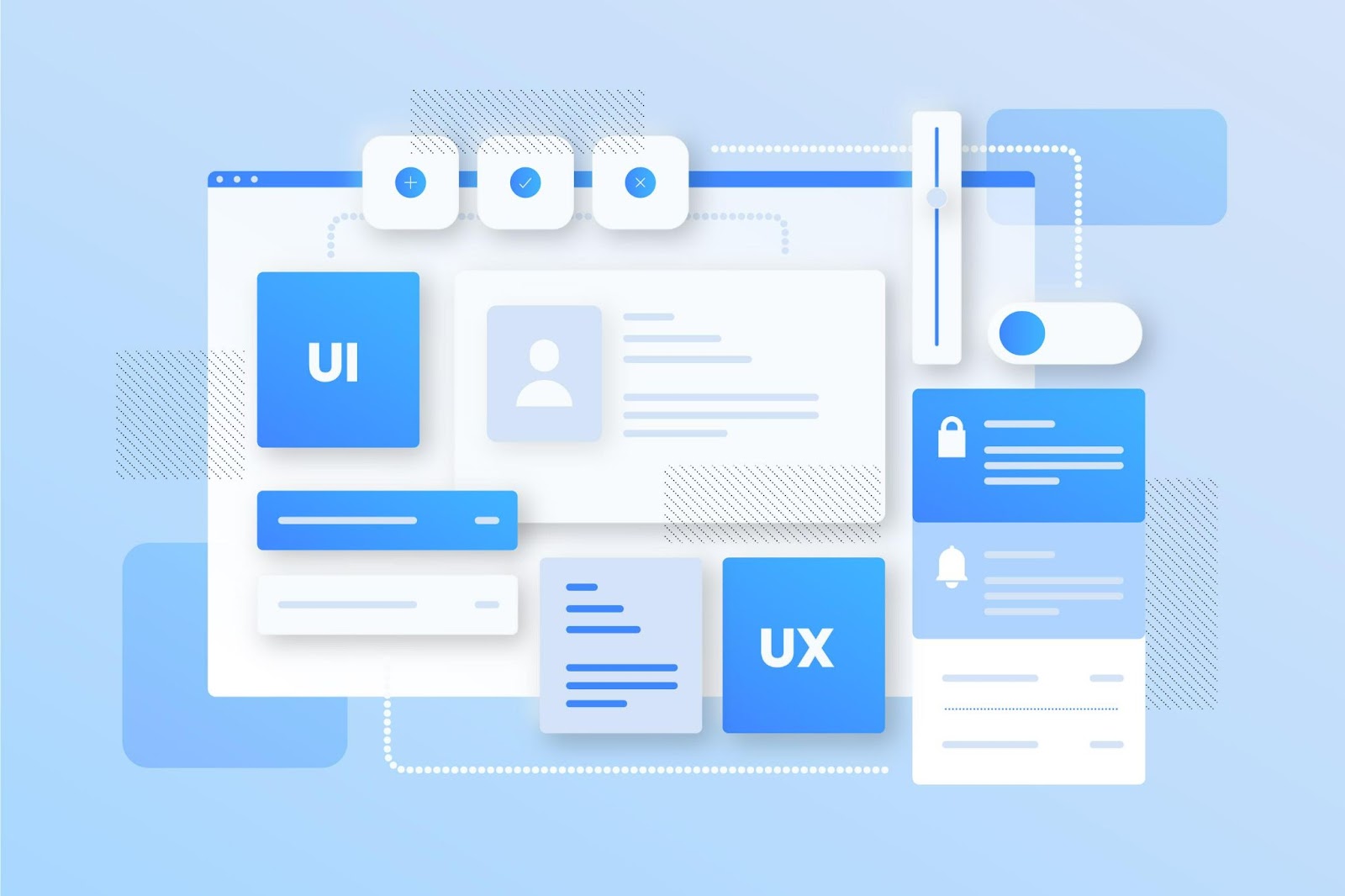
    User Interface(UI) Design is the graphical layout of an application that consists of the button, text, images, slider, text entry fields, and all the items that users use to interact. UI Design is a part of UX Design which focuses on looks or style.

    User Interface (UI) design needs to be creative in order to truly connect with users. UI designers solve problems, and the only way they can do so effectively is to think of innovative solutions. Creativity is a source of innovation, which makes it something businesses look for. Frustratingly, creativity can be elusive. UX/UI design is the process by which digital products are imbued with creativity.

    Read more : The Fundamentals of UX and UI Design

    These following process could help you in making an impressive UIs.

    1. Make elements such as buttons, input controls, navigational and informational components, and also containers.
    2. Maintain high discoverability.
    3. Keep it simple.
    4. Focus on readability and hierarchy of the layout.
    5. Draw attention to key features.
    6. Use progressive disclosure.
    7. Reduce user burdens.
    8. Use reusable pattern.
    9. Concentrate on maintaining brand consistency.

    After that, you could also create a prototype that allows designers to show their UI through an interactive and engaging product. It also helps in demonstrating the ideas that might be difficult to express. The other benefits you could get from prototyping is that it saves your time, it re-examines flow and evaluating user design, and it is also a perfect way to get feedback from the clients.

    We build creative and functional UI designs for web and mobile apps.

    When the success of your software application depends on a world-class user interface design, can you afford to take chances? As a well-experienced UI company, Sagara Technology can help you develop beautiful and functional interfaces for desktop and mobile applications.

    At Sagara Technology we develop attractive, engaging, usable interface design that focuses on solving usability problems and producing outstanding results.

    Read also more Sagara’s article here.

  • Top Tips to Improve Experience Design

    Top Tips to Improve Experience Design

    According to Global Digital Report 2019 by We Are Social, Indonesian people recognized as the top 5 countries who spend the most time using the internet, which takes 8hour and 36minutes daily. Further, there are 355.5 million mobile connections or 133% of the total population. The vast majority of that time is spent in apps and on websites.

    The difference between a good app and a bad app is usually the quality of its user experience (UX). A good UX is what separates successful apps from unsuccessful ones. Today, mobile users expect a lot from an app: fast loading time, ease of use and delight during interaction. There are many things to consider when designing for mobile. These lists below will also help you in increasing the user experience in using mobile applications.

    1. Minimize Cognitive Load

    Cognitive load refers to the amount of brainpower required to use the apps. The human brain has a limited amount of processing power, and when an app provides too much information at once, it might overwhelm the user and make them abandon the task. The less friction and confusion users have when interacting with an app, the better the chance that app stays around.

    Decluttering

    Cutting out the clutter is one of the major recommendations in “Do’s and Don’ts of Mobile UX Design.” Clutter is one of the worst enemies of good design. By cluttering your interface, you overload users with too much information: Every added button, image and icon makes the screen more complicated.

    Clutter is terrible on desktop, but it’s far worse on mobile. It’s essential to get rid of anything in a mobile design that isn’t absolutely necessary because reducing clutter will improve comprehension. The technique of functional minimalism can help you deal with the problem of a cluttered UI:

    • Keep content to a minimum (present the user with only what they need to know).
    • Keep interface elements to a minimum. A simple design will keep the user at ease with the product.
    • Use the technique of progressive disclosure to show more options.

    It is essential to cut out the clutter to improve comprehension because good UI design is all about delivering relevant information (signal) and avoiding irrelevant information (noise).

    Read more : How to Create Design System for User Interface?

    Break Tasks Into Bite-sized Chunks

    If a task contains a lot of steps and actions required from the user’s side, it’s better to divide such tasks into a number of subtasks. This principle is extremely important in mobile design because you don’t want to create too much complexity for the user at one time. One good example is a step-by-step checkout flow in an e-commerce app, where the designer breaks down a complex checkout task into bite-sized chunks, each requiring user action.

    Chunking can also help to connect two different activities (such as browsing and purchasing). When a flow is presented as a number of steps logically connected to each other, the user can more easily proceed through it.

    Minimize User Input

    Typing on a small mobile screen isn’t the most comfortable experience. In fact, it’s often error-prone. And the most common case of user input is filling out a form. Here are a few practical recommendations to make this process easy:

    • Keep forms as short as possible by removing any unnecessary fields. The app should ask for only the bare minimum of information from the user.
    • Provide input masks. Field masking is a technique that helps users format inputted text. A mask appears once a user focuses on a field, and it formats the text automatically as the field is being filled out, helping users to focus on the required data and to more easily notice errors.
    • Use smart features such as autocomplete. For example, filling out an address field is often the most problematic part of any registration form. Using tools like Place Autocomplete Address Form (which uses both geo-location and address prefilling to provide accurate suggestions based on the user’s exact location) enables users to enter their address with fewer keystrokes than they would have to with a regular input field.
    • Dynamically validate field values. It’s frustrating when, after submitting data, you have to go back and correct mistakes. Whenever possible, check field values immediately after entry so that users can correct them right away.
    • Customize the keyboard for the type of query. Display a numeric keyboard when asking for phone number, and include the @ button when asking for an email address. Ensure that this feature is implemented consistently throughout the app, rather than only for certain forms.

    Use Visual Weight to Convey Importance

    The most important element on the screen should have the most visual weight. Adding more weight to an element is possible with font weight, size and color.

    Make The Design Consistent

    Consistency is a fundamental principle of design. Consistency eliminates confusion. Maintaining an overall consistent appearance throughout an app is essential. Regarding mobile app, consistency means the following:

    • Visual consistency:Typefaces, buttons and labels need to be consistent across the app.
    • Functional consistency:Interactive elements should work similarly in all parts of your app.
    • External consistency: Design should be consistent across multiple products. This way, the user can apply prior knowledge when using another product.

    Here are a few practical recommendations on how to make a design consistent:

    • Respect platform guidelines.

    Each mobile OS has standard guidelines for interface design: Apple’s Human Interface Guidelines and Google’s Material Design Guidelines. When designing for native platforms, follow the OS’ design guidelines for maximum quality. The reason why the following design guidelines is important is simple: Users become familiar with the interaction patterns of each OS, and anything that contradicts the guidelines will create friction.

    • Don’t mimic UI elements from other platforms.

    As you build your app for Android or iOS, don’t carry over UI elements from other platforms. Icons, functional elements (input fields, checkboxes, switches) and typefaces should have a native feel. Use native components as much as possible, so that people trust your app.

    • Keep the mobile app consistent with the website.

    This is an example of external consistency. If you have a web service and a mobile app, make sure that both of them share similar characteristics. This will allow users to make frictionless transitions between the mobile app and the mobile web. Inconsistency in design (for example, a different navigation scheme or different color scheme) might cause confusion.

    2. Put The User In Control

    Keep Interactive Elements Familiar and Predictable

    Predictability is a fundamental principle of UX design. When things work in the way users predict, they feel a stronger sense of control. Unlike on desktop, where users can use hover effects to understand whether something is interactive or not, on mobile, users can check interactivity only by tapping on an element. That’s why, with buttons and other interactive elements, it’s essential to think about how the design communicates affordance. How do users understand an element as a button? Form should follow function: The way an object looks tells users how to use it. Visual elements that look like buttons but aren’t clickable will easily confuse users.

    The “Back” Button Should Work Properly

    An improperly created “back” button can cause a lot of problems for users. Prevent situations when tapping the “back” button in a multi-step process would take users all the way back to the home screen.

    A good design makes it easier for users to go back and make corrections. When users know that they can take a second look at data they’ve provided or options they’ve selected, this allows them to proceed with ease.

    Meaningful Error Messages

    To err is human. Errors occur when people engage with apps. Sometimes, they happen because the user makes a mistake. Sometimes, they happen because the app fails. Whatever the cause, these errors and how they are handled have a huge impact on the UX. Bad error handling paired with useless error messages can fill users with frustration and could be the reason why users abandon your app.

    3. Optimize Content For Mobile

    Content plays a significant role in design. In most cases, the primary reason why people use an app is the content it provides. But it’s not enough just to have clear, well-crafted content. The content has to be easy to digest.

    Make Text Readable and Legible

    When we think about content, in most cases we mean typography. As Oliver Reichenstein states in his essay “Web Design Is 95% Typography”: Optimizing typography is optimizing readability, accessibility, usability, overall graphic balance.”

    The key to mobile typography is readability and legibility. If users can’t read your content, there’s no point in offering content in the first place.

    First, a few practical recommendations on legibility:

    • Font size

    Generally, anything smaller than 16 pixels (or 11 points) is challenging to read on any screen.

    • Font family

    Most users prefer a clear, easy-to-read font. A safe bet is the system’s default typeface (Apple iOS uses the San Francisco font; Google Android uses Roboto).

    • Contrast

    Light-colored text (such as light gray) might look aesthetically appealing, but users will have a hard time reading it, especially against a light background. Make sure there is plenty of contrast between the font and the background for easy readability. The WC3’s web content accessibility guidelines provide contrast ratio recommendations for images and text.

    And now, a few recommendations for readability:

    • Avoid all caps.

    All caps text — meaning text with all letters cap­i­tal­ized — is fine in contexts that don’t involve attentive reading (such as acronyms and logos), but avoid it when your message requires heavy reading.

    • Limit the length of text lines.

    A good rule of thumb is to use 30 to 40 characters per line for mobile.

    • Don’t squeeze lines.

    Adding space between text aids the user in reading and creates a feeling that there isn’t so much information to take in.

    Read more : A Use Case for Proper Mobile Apps Development

    4. Adapt Mobile Design To Emerging Markets

    According to Google, a billion new users are expected to come online in the next couple of years. And the vast majority of them will be from emerging markets (or so-called mobile-first countries, like India, Indonesia, Brazil and Nigeria). They will gain access through a mobile phone.

    Poor Internet Connectivity

    Products in emerging markets have to be able to perform over slow or intermittent connectivity. Depending on a person’s location, the network might switch from Wi-Fi to 3G to 2G to no connectivity at all, and your product has to accommodate that.

    If you plan to design for such market, consider the following:

    Make sure your product works when it isn’t connected to the Internet at all. Allow caching of data.

    Optimize your product for fast loading. Minimize page size by keeping images and other weighty content to a minimum; and reduce the size of that content.

    Local Aesthetics

    Minimalist design, If you want your product to succeed in emerging markets, pay attention to the cultural aesthetics. You can get inspiration from regionally popular products or hire local designers who are familiar with user preferences. Designing according to local aesthetics will make your product feel more relatable.

    5. Helpful Tools And Resources For Designers

    Color Contrast Checker

    It’s surprising how many mobile apps don’t pass the AA test. Don’t be one of them! It’s essential to check the accessibility of your color contrast. Use WebAIM’s Color Contrast Checker to test color combinations.

    A great design is the perfect combination of beauty and functionality, and that is exactly what you should be aiming for when building an app. But don’t try to build a perfect app right on the first attempt. It almost impossible. Instead, treat your app as a continually evolving project, and use data from testing sessions and user feedback to constantly improve the experience.

  • How to Do Usability Testing for Mobile Apps

    How to Do Usability Testing for Mobile Apps

    Mobile App is a rather common problem that many entrepreneurs, as well as engineers, do not pay enough attention to usability testing. The customer-oriented approach to software development requires adding this stage to your processes or even engaging. Let’s find out more about usability testing for mobile applications.

    A particular role here belongs to usability testing for mobile applications. Usability highlights the quality of user experience when using an app. It provides details on how the user interacts with the solution. It answers the question of whether people enjoy it or not. Finally, usability testing is a way to get qualitative and quantitative data about usability issues.

    Qualitative data includes measuring expressions, movements, behavior, body language, eye movements, etc. The qualitative method is the analysis of metrics and statistics. What is meant here is the time spent using the app, the number of downloads, etc.

    Testing of mobile applications is highly important for both entrepreneurs and users. Let’s discover the reasons:

    Mobile App Benefits for Real Users

    • Increased satisfaction from using the mobile app
    • Positive impressions and experience
    • Faster and more efficient goal achievement, etc.

    Mobile App Benefits for Business Owners

    • Minimized development and maintenance costs
    • Saved time
    • Opportunity to attract investments
    • Increased number of users, etc.

    Read more: A Use Case for Proper Mobile Apps Development

    5 Steps of Mobile App Usability Testing

    When conducting usability testing, you need to simply follow 5 easy steps. Each of them answers specific questions and describes precisely what to do for the best result.

    Step 1: Defining the Objectives

    This stage requires detailed conversations and discussions. You need to get together with your development team in order to:

    • Create the roadmap
    • Define the target audience
    • Conduct research and find the most popular competing apps
    • Create a forecast
    • Estimate the project

    No matter if you are a software engineer or a product owner, you should be ready to discuss every single detail, analyze what you know and what you would like to know. Only after you have a clear vision of the future product can you define the objectives and goals. Do not forget to prioritize them and decide on measurement methods.

    Step 2: Set up the Tasks to Perform

    The test user should take several steps to make sure everything is fine. So you need to choose the tasks accurately and organize them in a way of test scenarios. Each scenario has to reflect what the real user is going to do with the app. And each action should be:

    • Realistic
    • Understandable
    • Ordered in a sequence
    • Bound to others

    While the QA is running the test, you need to measure the performance. Each step should take up to 3 seconds, no more. The longer the response is, the fewer downloads your mobile app will have.

    Step 3: Choose the Test Participants

    Testing mobile applications in terms of usability is a user-oriented approach, so the participation of real users is required. Your preparations, as well as the process itself, may take time and resources, but do not forget that the more effort and attention you devote to this task, the better results you will get.

    You cannot create similar conditions for all the users, but you can identify the conditions that will help you to reveal the app’s weaknesses. For example, you can divide the users into groups depending on what device they use. Or, you can require that each participant uses the mobile app no less than three months before presenting the results. It all depends on the app’s goal, so take another look at Step 1.

    The participants should embody your target audience. So, if you work on a mobile app game you better offer participation to teenagers than seniors. Or, if it is a budget planning app, it makes more sense to track the experience of adults than 10-year-olds.

    An effective method here is designing user personas. That means that you, together with your team and partners, need to define what type of people will be using your mobile app. Define their gender, age, marital status, education, lifestyle, personal qualities to get the most accurate results.

    Take note that security matters. You have to guarantee the highest level of data protection. Confidential usage is an essential detail. If there are some compensation terms, or if you require that the participants sign a special form, the security is even more important.

    Step 4. Run the Mobile App Usability Testing

    There are 2 ways to conduct testing:

    • In laboratory conditions
    • Remotely

    Both of them are suitable as we are talking about software development and mobile apps that can be used anywhere in the world. However, running the test at the office gives you the possibility to control it completely. Laboratory testing allows observing participants’ behavior, reactions, impressions, and actions.

    Laboratory-based usability testing consists of the following stages:

    • Welcoming official part
    • Initial interview
    • Performing the tasks
    • Questionnaire session
    • Debriefing

    The advantage of remote testing is that you don’t have to invite the participants to your company. You save your and your colleagues’ time, as there is no need to monitor the users. Remote testing does not have defined stages. It can be conducted anytime, from anywhere.

    Read more: Top Tips to Improve Experience Design

    What Do You Need for a Mobile App Usability Test?

    The answer to this question depends on which method of testing you choose. If remote testing is a better option for you, you don’t need any extra equipment to get the results. The users simply browse your app on their smartphones and present reports. And if laboratory testing seems a more suitable way, two kinds of equipment are required:

    Camera or Web Camera

    Use it to capture the user’s behavior and gestures. You can pick either a fixed-position or dynamic camera.

    Recording Program

    Special software is needed to project the process to the observer in real-time and record it.

    A special role belongs to the test venue and the facilitator. If users visit your office to take part in testing, organize a room for them, take care of light and noise insulation. Users’ comfort means a lot for testing as well. You also need to appoint a responsible person to ensure that everything goes well and everyone performs the needed actions.

    Final Thoughts

    Usability testing is your chance to understand potential users. With this simple method, you can discover their needs, wishes, and desires. And the sooner you open the curtain to the great world of usability, the faster you’ll cater to the users’ wishes and outdrive the competitors.

    The process is time-consuming, but it’s also your savior. The analysis is hard, but it’s worth it. From the moment you start implementing those techniques, you’ll understand their value. Success is a capricious creature; it may pass by and never come back. Don’t let it happen: test your app’s usability!.

  • The Golden Rules of User Interface Design

    The Golden Rules of User Interface Design

    The user interface (UI) is a critical part of any software product. When it’s done well, users don’t even notice it. When it’s done poorly, users can’t get past it to efficiently use a product. To increase the chances of success when creating user interfaces, most designers follow interface design principles. Interface design principles represent high-level concepts that are used to guide software design. In this article, I’ll share a few fundamental principles.

    8 Golden Rules of User Interface Design is a “rule” that needs to be considered in making interface design. This Golden Rule was proposed by Ben Schneiderman on August 21, 1947, in his book entitled Designing the User Interface: Strategies for Effective Human-Computer Interaction.

    1. Strive for consistency in User Interface Design

    Designing “consistent interfaces” means using the same design patterns and sequences of actions for similar situations. This includes but isn’t limited to, the proper use of color, typography, and terminology in prompt screens, commands, and menus throughout your user journey.

    Remember: a consistent interface will allow your users to complete their tasks and goals much more easily.

    2. Enable Frequent Users to Use Shortcuts

    Speaking of using UI rules as shortcuts, your users will benefit from shortcuts as well, especially if they need to complete the same tasks often.

    Expert users might find the following features helpful:

    • Abbreviations
    • Function keys
    • Hidden commands
    • Macro facilities

    Read more: The Fundamentals of UX and UI Design

    3. Offer informative feedback

    For every user action, there should be interface feedback. For frequent and minor actions, the response can be modest, while for infrequent and major actions, the response should be more substantial. Visual presentation of the objects of interest provides a convenient environment for showing changes explicitly.

    4. Design dialogs to yield closure

    Sequences of actions should be organized into groups with a beginning, middle, and end. Informative feedback at the completion of a group of actions gives users the satisfaction of accomplishment, a sense of relief, the signal to drop contingency plans from their minds, and an indicator to prepare for the next group of actions. For example, e-commerce websites move users from selecting products to the checkout, ending with a clear confirmation page that completes the transaction.

    5. Offer Simple Error Handling

    A good interface should be designed to avoid errors as much as possible. But when errors do happen, your system needs to make it easy for the user to understand the issue and know how to solve it. Simple ways to handle errors include displaying clear error notifications along with descriptive hints to solve the problem.

    As much as possible, design the system so the user cannot make a serious error. If an error is made, the system should be able to detect the error and offer a simple, comprehensive mechanism for handling the error.

    Error Prevention:

    • Error prevention over error correction
    • Automatic detection of errors
    • Clear error notifications
    • Hints for solving the problem

    6. Permit easy reversal of actions

    This feature relieves anxiety since users know that errors can be undone, and encourages exploration of unfamiliar options. The units of reversibility may be a single action, a data-entry task, or a complete group of actions, such as the entry of a name-address block.

    7. Keep users in control

    Experienced users strongly desire the sense that they are in charge of the interface and that the interface responds to their actions. They don’t want surprises or changes in familiar behavior, and they are annoyed by tedious data-entry sequences, difficulty in obtaining necessary information, and inability to produce their desired result.

    Read more: Top References for User Interface Design

    8. Reduce short-term memory load

    Humans’ limited capacity for information processing in short-term memory (the rule of thumb is that people can remember “seven plus or minus two chunks” of information) requires that designers avoid interfaces in which users must remember information from one display and then use that information on another display. It means that cellphones should not require reentry of phone numbers, website locations should remain visible, and lengthy forms should be compacted to fit a single display.

    These underlying principles must be interpreted, refined, and extended for each environment. They have their limitations, but they provide a good starting point for mobile, desktop, and web designers. The principles presented in the ensuing sections focus on increasing users’ productivity by providing simplified data-entry procedures, comprehensible displays, and rapid informative feedback to increase feelings of competence, mastery, and control over the system.

    The goal for UI designers is to produce user-friendly interfaces: interfaces that encourage exploration without fear of negative consequences. Without any doubt interfaces of the future will be more intuitive, enticing, predictable, and forgiving, but most principles of UI design listed in this article will surely be applicable. 8 These Golden Rules from Schneider ensure a good design but can ease the burden experienced by users in using applications that we make.

    Sagara Technology can help you develop beautiful and functional interfaces for Website and Mobile Applications. At Sagara Technology we develop attractive, engaging, usable interface design that focuses on solving usability problems and producing outstanding results.

  • Mobile Apps vs Web Apps: Which is the Better Option?

    Mobile Apps vs Web Apps: Which is the Better Option?

    There is a common misconception that mobile apps and web apps are the same things — but actually, the two are very different.

    Not only are there differences for the user; they are also developed and deployed differently, so it’s important not to get the two confused.

    First, though, it can be useful to distinguish between web apps and websites. Simply put, a web app is a website that is design fluidly, responding to being view on a smartphone. There are many different types of websites out there, some are static and rarely updated, while others are responsive and have a great deal of interactivity. Web apps, specifically, function like downloadable apps, but all from the comfort of your phone’s browser.

    But what is the difference between a mobile app and a web app? Let’s take a look.

    Mobile Apps vs. Web Apps

    Mobile apps are build for a specific platform, such as iOS for the Apple iPhone or Android for a Samsung device. They are download and install via an app store and have access to system resources, such as GPS and the camera function. Mobile apps live and run on the device itself. Snapchat, Instagram, Google Maps and Facebook Messenger are some examples of popular mobile apps.

    Web apps, on the other hand, are accessed via the internet browser and will adapt to whichever device you’re viewing them on. They are not native to a particular system and don’t need to be downloaded or installed. Due to their responsive nature, they do indeed look and function a lot like mobile apps — and this is where the confusion arises.

    While the designs are similar and follow the same fonts and color scheme, these are essentially two different products.

    Web apps need an active internet connection in order to run, whereas mobile apps may work offline. Mobile apps have the advantage of being faster and more efficient, but they do require the user to regularly download updates. Web apps will update themselves.

    Above all, mobile apps and web apps are designed and built very differently. To further differentiate between the two, it helps to understand how each is developed.

    How are mobile apps built?

    Mobile apps are more expensive to develop than web apps, and because they are platform-specific, launching an app across different platforms pretty much means starting from scratch in terms of design and development. However, they are much faster and tend to be more advanced in terms of features and functionality.

    How native mobile apps are built

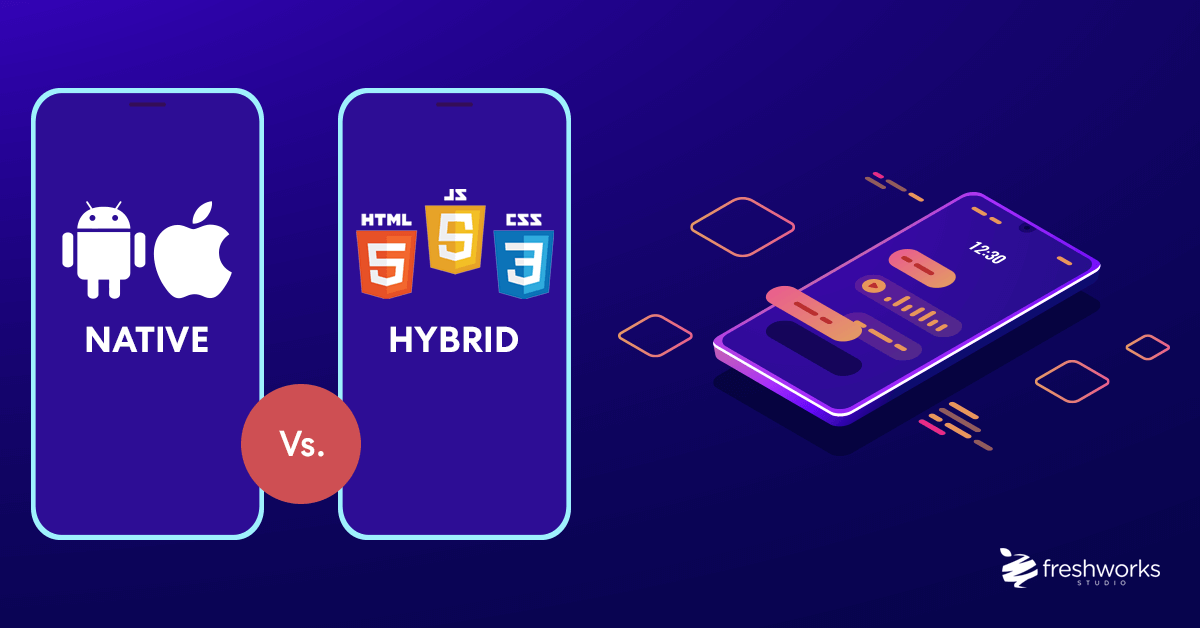
    Native mobile apps are built-in platform-specific languages. Native app developers use Swift or Objective-C for iOS apps, Java or C++ for Android apps and C# for Windows Phone apps. Yes, that means if you want your native app to be available for download on Android and iOS devices, you’ll need to build multiple versions that, most likely, won’t have identical user interfaces.

    How hybrid mobile apps are built

    You guessed it — hybrid apps combine the best of both web and native apps. Technically a kind of mobile app, a hybrid app is installed like a native app, but when you run it, it functions as a web app using a platform’s WebView. (WebView is kind of a mini web browser that can be configured to run fullscreen.)

    Hybrid apps are also built specifically for the operating system, and can therefore also access device capabilities like a native app. However, similar to web apps, hybrid apps are written in HTML, CSS, and JavaScript, but are then packaged for different platforms.

    Mobile Apps

    Pros:

    • Faster than web apps
    • Greater functionality as they have access to system resources
    • Can work offline
    • Safe and secure — native apps must first be approve by the app store
    • Easier to build due to the availability of developer tools, interface elements, and SDKs

    Cons:

    • More expensive to build than web apps
    • Compatibility with different platforms (i.e. iOS and Android) usually means designing and building the app from scratch
    • Expensive to maintain and update
    • It may prove difficult to get a native app approve by the app store

    How are web apps build?

    Non-native tools were intentionally create to avoid writing code twice, as well as to give more developers the ability to make apps. Web apps tend to be build using JavaScript, CSS, and HTML5. Unlike mobile apps, there is no standard software development kit for building web apps. However, developers do have access to templates. Compared to mobile apps, web apps are usually quicker and easier to build — but they are much simpler in terms of features.

    An emerging trend, progressive web apps (PWAs) take advantage of some recent browser advancements to allow web apps to act more like mobile apps. However, operating system support and functionality is still limit when compare to true mobile apps.

    Web apps

    Pros:

    • Do not need to be download or install — web apps function in-browser
    • Easy to maintain — they have a common codebase regardless of a mobile platform
    • Will update themselves
    • Quicker and easier to build than mobile apps
    • Do not require app store approval, so can be launch quickly

    Cons:

    • Do not work offline
    • Slower than mobile apps, and less advanced in terms of features
    • May not be as discoverable as mobile apps as they are not list in a specific database, such as the app store
    • Quality and security is not always guarante — web apps don’t need to be approve by the app store

    Which type of app should I use?

    The short answer is it depends. Can you get by with a “fits all” app, or should you look for something that fits your specifications a little better? It’s based on the occasion. Think about what features are most important to you, your company goals, and/or the app’s main function.

    When to build a web app

    If your app is simply an interactive resource for additional information or only needs internet access to provide a satisfactory user experience (UX), a web app might be the way to go. Progressive web apps are a good fix for companies trying to build better mobile usability than what is currently offer via their mobile site.

    When to build a native mobile app

    If your app will need access to the device’s camera or GPS, you should highly consider making a native mobile app. While a hybrid mobile app does allow you to utilize some of these features, it probably won’t be the best experience for your user. Pokémon Go is a native app, utilizing both the camera and GPS functions of the smart device, combined with augmented reality software.

    When to build a hybrid mobile app

    While hybrid mobile apps aren’t as common as web or native apps, the list of companies using them might surprise you. In certain circumstances, web apps are convert to hybrid mobile apps in order to take have some native-like advantages, including an app marketplace listing. Twitter is a hybrid app that really has the look and feel of a native app.

    There are many factors to consider when deciding which type of app is best for your business. Whether you choose to build a web app, native app or hybrid app, it’s important to keep your users top of mind to provide the most value and best experience possible. If you are interest in the professional development of mobile applications, you can always contact https://www.sagaratechnology.com/en

    Read also Sagara’s Article here

  • Native or Hybrid Development, What to Choose?

    Native or Hybrid Development, What to Choose?

    Even if you’re entirely sure that a mobile app is an exact thing that can boost up your business, you’re still one step away from beginning the development process. You have to make an important decision and choose between hybrid and native mobile app development. You can make this decision based on your goals and available resources. In this article, we’ll try to highlight some advantages and disadvantages of both approaches to help you decide which option will work better for your particular company.

    Native and Hybrid Mobile Apps in a Nutshell

    First of all, it’s crucial to understand that there are no one-size-fits-all solutions in the world of mobile development. Both hybrid and native mobile apps have pros and cons that may affect the final decision. It depends on certain circumstances, which option will work better for a particular company.

    Native Apps

    In consideration of native vs hybrid mobile app development, we should remember the important feature of native applications. They are built specifically for only one platform, thus the applied technologies will differ. In order to handle the development of Android mobile apps, the engineers can apply Java or Kotlin, Swift or Objective-C will be needed for iOS development.

    Companies that usually choose this approach have the necessity to build two applications simultaneously. It is clear that the engineering process is longer and requires more effort. But the final result is going to balance it.

    The customers are able to have a more responsive and faster experience. The better performance is the advantage for complicated mobile applications dealing with animation and rendering. Moreover, data security is another beneficial feature. As we are looking for the difference between native and hybrid apps, let’s check the possible frameworks.

    Read more: Mobile Apps vs Web Apps: Which is the Better Option?

    Technologies for iOS development

    Objective C — This programming language is known for its great development experience, available libraries and a vast pool of experts. Objective-C is a mature framework, which also obtains compatibility with other programming technologies. Despite those benefits, we realize that new languages appear and sometimes it will not have the ability to support all the latest features.

    Swift. It is a relatively new programming framework introduced by Apple that has become the alternative for building iOS native applications. The developers have pointed out its quicker performance and it is easier to learn and work with. It is constantly developing that’s why it may lack some components. However, it is said that it might replace Objective-C in the future.

    Technologies for Android development

    Java. The programing language is not only primarily used for Android mobile applications but for other purposes. Much of desktop and web development is based on Java. It has become a special system of tools, the developers have access to a powerful library. It helps to simplify the overall programming process. However, applications on Java require more memory and perform slower compared to other frameworks.

    Kotlin — is a programming language specifically developed to work with Java and Java Virtual Machine. Because of that, its usage is supported and approved by Google for the development of Android applications. One of the main advantages of Kotlin over regular Java is that its type interface allows working using shorter syntax. This fact reduces the time for the programming needed to make an application for Android. Now it is included as an alternative to the standard Java compiler for the Android Studio. Expedia, Square, Pinterest, and Flipboard can be named among the most demonstrative examples of the companies that use Kotlin for their Android applications.

    Advantages of native apps development

    • Better performance — When we analyze hybrid vs native app performance, it is clear that the native applications will be faster. They are built with a framework that is native to the platform.
    • Data protection — It is much easier to make the native application secure. That is the advantage that a lot of companies are interested in providing for their customers especially in the enterprise sector, fintech, and applications with sensitive data.
    • Overall functionality — The application will have the important ability to connect the device hardware features and different databases. There is no need for plugins or extra tools.
    • Customer experience — They will definitely have high performance. In addition, they can work in offline mode, which is still an issue for the hybrid app examples.
    • Comprehension — The developers are already aware of all the strengths and weaknesses of using well-established technologies. They will help to find the right approach for receiving final desirable results.

    Disadvantages of native apps

    • Be attentive checking the list of disadvantages of native apps development, it might depend on the chosen platform as well.
    • Time and money-consuming — It definitely requires time to build complex software. Distribution of users across two main platforms doubles the amount of work and testing needed to keep two separate applications for both iOS and Android up and running.
    • Distributed codebase — having some features unavailable for iOS or Android is an infamous practice which has its place even in 2019. This happens due to limitations in budget or restrictions of the platform. Sometimes, application in the App Store can be abandoned for years while Android version receives regular updates and vice versa. On the other hand, the hybrid application encourages developers to approach UI and features in a more thoughtful manner and introduce only features that can work on both operational systems.

    Hybrid Apps

    The mobile application is an important improvement step for your business. When you make the decision to create the hybrid application, you should learn its development process, check all the features and find out strengths and weaknesses.

    This application is originally regarded as a website that is put into the containers. Thus each hybrid application has to use specially designed APIs to reach the fundamental features as well as engage the third-party means for it.

    These applications operate a web view control in order to receive the full-screen HTML and JavaScript files leveraging the rendering engine of the built-in OS browsers.

    Technologies used for hybrid applications development

    As we have already mentioned, mobile development companies are working with a combination of technologies. There are three most popular frameworks for hybrid app development:

    • React Native. Facebook has created this open-source technology for cross-platform compatibility. The simplified UIs have considerably increased performance specifically reloading. React Native is mostly utilized because of the short development time. The software engineers have access to ready-to-apply units, however, the framework might lack certain components. Both Facebook and the community regularly provide updates.
    • Xamarin. The open framework is strongly supported and maintained by Microsoft. They have recently offered the new development approach that enables the availability of the code across platforms. It has helped improve development speed and simplify maintenance. The developers can use the logic in common, however, the UI regulations will stay specific for each platform. Xamarin will not deal with complicated graphics but is suitable for simple apps. This technology is usually chosen for business-directed projects.
    • Ionic. This framework produces mobile applications with standard web technologies such as JavaScript, CSS, HTML, Angular, etc. The developers also have a lot of accessible UI components which are simple to deal with. Developing time is as great as with all other frameworks for hybrid app examples. In spite of all the benefits, the maintenance might be more difficult. Ionic grants lots of plugins, so when the issue comes out, it may demand extra manual adjustments.

    While comparing native apps vs hybrid apps, you should definitely find all development process pros and cons. All mentioned above technologies characterized by the following peculiarities:

    Advantages of Hybrid apps development

    • Single code base — This is the advantage that causes all the following benefits. Hybrid apps are preferred by companies and developers as they can perform on both platforms. There will be no need for building two separate codes for iOS and Android by reason of the code common functionality.
    • Lower cost. The company can make huge savings by developing one mobile application while addressing users on different platforms. You have the necessity to hire one team with some expertise in both but only good expertise in web development would be enough. Your expenses will be almost the same as building only one that is designed to run everywhere.
    • Simpler to build and test — The team will reach the expected result faster. They don’t deal with each platform separately. The code is create once and testing time is also going to be reduce.
    • Easier to maintain — All required changes and updates will be maintain simultaneously on both platforms. It is not only convenient for the developers for the users as well. A lot of issues are possible to fix from the server side, and the user will just get the updates automatically.
    • Faster delivery time — As we mentioned above, you don’t need to have two iOS and Android teams or large cross-functional team, you just need to find one relatively small team of professionals. They can create a cleverly marketed product that will be interesting for different users. The hybrid applications have recommended themselves as content-oriented.

    Disadvantages of Hybrid apps development

    • Bounded efficiency — Hybrid app framework depends on plugins to be connect with the device features. Sometimes developers have to create them manually to approach the particular function of the device.
    • Internet connection — As for hybrid vs native app efficiency, there is one significant difference. Hybrid app framework requires a regular internet connection. Some functions won’t be available when the user lacks connection.

    Read more: Free Platforms to Create Prototyping for Apps or Web Design

    Hybrid vs. Native. Making a Choice Between Two Good Options

    When we take a closer look at native and hybrid apps, the benefits of both approaches will become more evident. All you have to do is to compare the core features of these approaches with the needs and expectations of your company. For example, specialized apps provide excellent security and safety of data. Therefore, they will be a great choice for companies that work with sensitive data or financial information.

    On the other hand, there’s cross-platform functionality provided by hybrid apps. This feature will work great for startup companies that have limited funds and want to cover as many users as possible. It’s important to understand that it’s not the nature of hybrid and native apps that determines if your business will be successful or not. The crucial thing is the ability of developers to build them well and your ability to match your requirements with the opportunity that both options offer.

    We hope that this article has helped you find the difference between a native and hybrid apps and making the right choice will be easier for you. Each type has benefits that are essential for certain projects. Moreover, you can choose the technology you prefer considering your development capabilities. Taking into account all these criteria, we can make the conclusion that each approach fits some specific case. Your task will be to outline own most important criteria and don’t forget to consult the professionals. This is the best way to choose as every qualified team of developers listens to you first and only later can advise the solution.

    If you are interest in the professional development of mobile applications, you can always contact Sagara Technology. We are a software house company with great expertise in both hybrid and native app development that helps find out the best business approaches for your company. If you need any further assistance with your questions, feel free to contact us. Our company will be glad to provide professional consultation and find your own approach.

  • The Basic of Front End Development Process

    The Basic of Front End Development Process

    If you are just entering the rewarding world of front-end development, you are in luck. You have made your choice to learn at this time. Like anything worth doing, front-end development is not easy, If you are up for the challenge, however, let us get you started!

    Work Processes of Front-End Development

    In order to make websites and apps accessible to users, the front-end must complete three tasks:

    1) Get information the user requires from the back-end and translate it from the “back-end language” to the specific OS (operating system) language in which it will be shown to the user

    2) Organize the information on the screen

    3) Give it an aesthetic shape

    These tasks all occur within the front-end but in two different “layers.” In order to make these concepts more accessible, let’s call them the Logical Layer and Aesthetic Layer.

    Read more: The Fundamentals of Front End and Back End Development

    Logical Layer

    We refer to it as “logical” because it is involve in gathering, interpreting, and processing the data that will later be shown within the aesthetic layer.

    For the first task to be accomplish, the front-end must communicate with the back-end through an API (Application Programming Interface) and ask it for specific information.

    In this step, developers must also specify through code the proper format in which the information should be delivere, since the front-end cannot perform anything in the back-end’s foreign language. The most popular front-end languages including HTML, CSS, and JavaScript.

    After the requested information has been properly delivered, the second task begins. During this step, developers must write additional code in order to specify the way the requested information will be shown to the user.

    Aesthetic Layer

    The aesthetic layer is exclusively related to the design of a website or app.

    As mentioned before, everything (including design) can be coded. However, nowadays there is a wide range of graphic design programs, such as Illustrator, Photoshop, and Sketch, that can expedite the development process.

    The people responsible for all of the images and other elements users see on the screen are UI Designers or graphic designers who specialize in user interfaces.

    To be clear, however, the images they create are static. They will only “come to life” after the developers implement the necessary code to animate the graphic elements (a.k.a. assets) created by designers.

    Factors to Consider for Front-End Development

    Logical Layer

    For the logical layer, it’s important to take into account the language of the code you or your team are going to use. The code is essential for the front-end to work properly.

    There are two main options:

    1) Developing natively, which means to code in the specific language of a particular OS;

    2) Developing cross-platform, which means to write a non-specific code that will work across different OS’s.

    Read more: What Languages are Used for Front End Development?

    Aesthetic Layer

    When it comes to the aesthetic layer, we share the following tips:

    1) Bear in mind the specific navigability of each OS Design for iOS is not the same as design for Android since each OS has its own proportions, way of distributing elements, and ultimately its own navigability.

    This reality is of extreme importance when it comes to front-end design. If you develop without taking this into account, your users will probably find the interface “uncomfortable” or “weird,” which would likely lead to the app’s disuse or even deletion.

    2) Ease the user’s workflow through the conscious design of each screen, you can simplify the navigability and flow of your website or app, which is essential to its usability.

    Basic things, such as not forgetting the “back” button on each screen, can make the difference between an “easy-to-use” app and an “I-don’t-get-it” app.

    3) Respect branding when designing a new website or app (or new webpage or feature. Be sure to keep the company’s overall brand identity top of mind.

    You should strive for originality. While also maintaining a consistent aesthetic line and respecting the OS’s UI recommendations, such as Google’s Material Design.

    The most popular front-end languages including HTML, CSS, and JavaScript. If you want to become a developer, you need to learn code. Start building technical skills and identify what excites you about a tech career. Web development is just a popular entry point into a coding career and is different from mobile development. You can further specialize by developing Android applications or iOS applications. It all depends on your interests and what you want to do!

    Read also more Sagara’s Article here.

  • Why is Ruby on Rails Useful?

    Why is Ruby on Rails Useful?

    Which language you choose for your project depends on multiple factors: level of support, scalability, availability of libraries, cost of frameworks that can cut down development time, and so on. These days, a lot of companies (both small startups and big, well-established businesses) choose Ruby on Rails as their primary framework for development.

    What do you need to know about Ruby on Rails?

    Ruby, which was developed more than twenty years ago, is one of the most popular programming languages today. Ruby on Rails is a free open source framework (like many other popular frameworks, it’s distributed under the MIT license).

    The Rails framework helps developers build websites by abstracting and simplifying repetitive tasks.

    Ruby on Rails is based on the Model-View-Controller (MVC) design pattern. The MVC pattern supports parallel development, which means that multiple developers can work on the same app simultaneously, with each working on a separate piece of functionality.

    What are the advantages of using Ruby on Rails for web programming?

    1. Ruby on Rails is easy to read, comprehend, and work in because it’s close to a natural language.

    Ruby on Rails is really close to English, but it also uses its own domain-specific language that extends Ruby’s semantics. Often, domain-specific languages end up being too complicated, but the team behind Rails has found a good balance by using domain-specific language only in certain instances so it doesn’t make the framework difficult to understand.

    2. Ruby on Rails has a rich collection of libraries that facilitate and speed up development.

    The philosophy behind Ruby on Rails is often described by referring to the software design paradigm convention over configuration. This implies that the framework is composed in a way that decreases the number of decisions that a developer has to make while keeping the framework itself flexible and easy to customize.

    Ruby on Rails has multiply reusable, easily configurable components that can be used to cut down development time.

    Generators in Ruby on Rails allow you to automate basic CRUD functions, while libraries, appropriately called gems, can be used to implement typical features such as authentication or payment integrations. Another powerful tool that Ruby developers can use is the module. Modules provide help you organize Ruby classes, methods, and constants and unites them into groups or units. Writing a module is similar to writing a class, except that a module starts with the module keyword instead of the class keyword.

    3. Ruby on Rails has options for test automation.

    Ruby on Rails has an option for integrated testing that checks the quality of code as it’s being written. This means that there’s less need for third-party testing tools.

    Rails create a test directory for you as soon as you create a Rails project using rails new application_name. By default, every Rails application has three environments: development, test, and production.

    It’s possible to run all of your tests at once using the bin/rails test command, or it’s possible to run a single test file bypassing the filename containing your test cases to this same command.

    4. Ruby on Rails is mature and stable.

    Ruby on Rails provides opportunities for code refactoring and lets developers extend their apps by adding new features to existing code. This framework has well-established coding conventions that make it easy for new developers to join projects that have accumulated a lot of legacy code.

    5. Ruby is scalable.

    Ruby is good for scaling a product.

    First of all, Ruby supports caching out of the box, meaning that you can view fragment caching within your app’s code and also use Redis as a cache-store. You can also use a remote multi-server automation tool such as Capistrano, which automates pushing of new application versions to your deployment location. Rails also let you use the cloud infrastructure framework Chef, which itself is written in Ruby. The chef can help you manage infrastructure dependencies, create folder structures, and bootstrap the entire system or update system configurations with a minimum of commands.

    Another thing that makes Ruby on Rails a good choice for a project that needs to scale is the way it works with background jobs. Enqueueing tasks such as email confirmation after new users register in the system is important for smooth user experience, and the bigger your product is, the more crucial background jobs become to its functioning.

    Overall, it’s noticeable that Ruby on Rails as a web development framework has reached maturity and will likely grow to become even more stable, which together with its scalability makes it a good fit for enterprise-level applications. The committed community of developers who constantly contribute to its open-source libraries guarantees that Ruby on Rails will remain a top choice for many types of web development in the coming years.