Author: Sagara Technology

  • How To Make a Great Content For Blogpost?

    How To Make a Great Content For Blogpost?

    Sagara Technology – You publish on a blog post and expect the traffic, page views, share, and comments to start rolling in, but sometimes you get nothing. Maybe many of you are already hearing that “content is king.” But what does that really mean? What makes it great?

    1. Unique and Valuable

    Google pays attention to content that’s new and unique. You must create posts that answer your reader’s questions search terms, giving value to the readers, and it must be original.

    If your content is duplicate or the same as other web pages, then it could cause your web a negative impact on your SEO. And if you regularly publish duplicate content, Google will slow down the crawling rate of your website. So, your content must have to be different and better than other websites that are ranking for the search term.

    2. Fresh Content

    Creating fresh ones is the way to boost your content quality. By updating your posts and adding some new information, you’re getting a positive signal from the search engine.

    For such topics, Google prefers pages that provide the latest information to show up on the search engine results page. For instance, if you’re writing about the new variant of covid-19, you would want your content to contain recent news and researches. And using Google Trends is one of the simple ways of finding the latest information to keep your content fresh.

    3. Content Length

    One of the questions we’ve come across a lot of times is whether the length is a part of Google ranking factors?

    And the answer is, maybe yes or maybe not.

    But, according to different studies, the length has an impact on where you rank on the search results. On average, posts with 1,890 words rank on the first page.

    A better way of looking at this is to create content that has depth and covers a topic in great detail. That’s because Google prefers pages that fully answer a user’s question and provides detailed solutions.

    4. Structure

    When it comes to quality, your blog posts should be well structured to make them easier to understand.

    To improve the structure and organization of your articles, you can use multiple headings and subheadings to group your content and make it more structured and easier to read compared to a blog post without headings.

    So, working on your content’s structure will increase its readability. As a result, you’ll improve the user experience of your site, which indirectly improves your chances of ranking higher on Google. Read More

  • What is AMP ? how to use it, let’s see the guide

    What is AMP ? how to use it, let’s see the guide

    Have you ever seen a lightning bolt on the Google search engine?, it’s not just a logo, it’s a sign that your website has used Google Amp. find out what is Amp in the article below.

    What is Google AMP?

    Google AMP (Accelerated Mobile Pages) is a technology that was created so that the pages of a website open faster on mobile devices. However, not all pages can use this Google AMP.

    It can only be used on pages that contain static content, such as news or articles only. So, Google AMP is perfect if your website is a news website or an article website.

    You could say, GoogleAMP is similar to Facebook Instant Articles. The most striking difference is the platform used. Facebook Instant Articles uses the Facebook platform, while GoogleAMP uses the Google search engine.

    Websites that already use GoogleAMP will be marked with a lightning bolt in Google search results on mobile devices.

    Google AMP works by utilizing three components, AMPHTML, AMPJavaScript, and AMPCache. These three components work together to optimize website pages to load faster on mobile devices.

    These three components turn off website elements that can slow down page loading time. . In addition, they also implement steps to speed up the website automatically. Such as compressing inline CSS, sandboxing iFrame, and many others.

    The appearance of the Google AMP page looks simple and minimalist. In effect, the page becomes light and fast to be accessed by mobile devices.

    Google’s AMP is concerned with getting information to visitors quickly rather than an unsightly appearance.

    Advantages

    • Free – can be used by anyone at no cost
    • Mobile-friendly- makes your website load faster on mobile devices, even with slow internet.
    • Helps SEO – Fast loading on mobile devices will help your SEO
    • Improve user experience – Visitors get what they want quickly, leaving them satisfied.
    • Automatically optimize images – automatically optimizes various elements of your website, including images.
    • Lighten server load – because GoogleAMP data will be stored in it Cache.

    Disadvantages

    • Minimalist look – automatically disables elements that slow down your website – such as plugins, themes, widgets, and more – so your content will look minimalistic.
    • Many plugins and widgets don’t work in AMP – Because plugins and widgets can slow down load time, Google’sAMP disables them.
    • Many of the JavaScript set by website owners don’t run in AMP – JavaScript that has the potential to slow down load times will be disabled.
    • Possibility of removing some ads on the page – Not all ads support GoogleAMP.

    How to Install AMP Plugin in WordPress

    How to use Google AMP in WordPress simply by installing a plugin. There are two WordPress plugins that you can use

    Using the Official Plugin

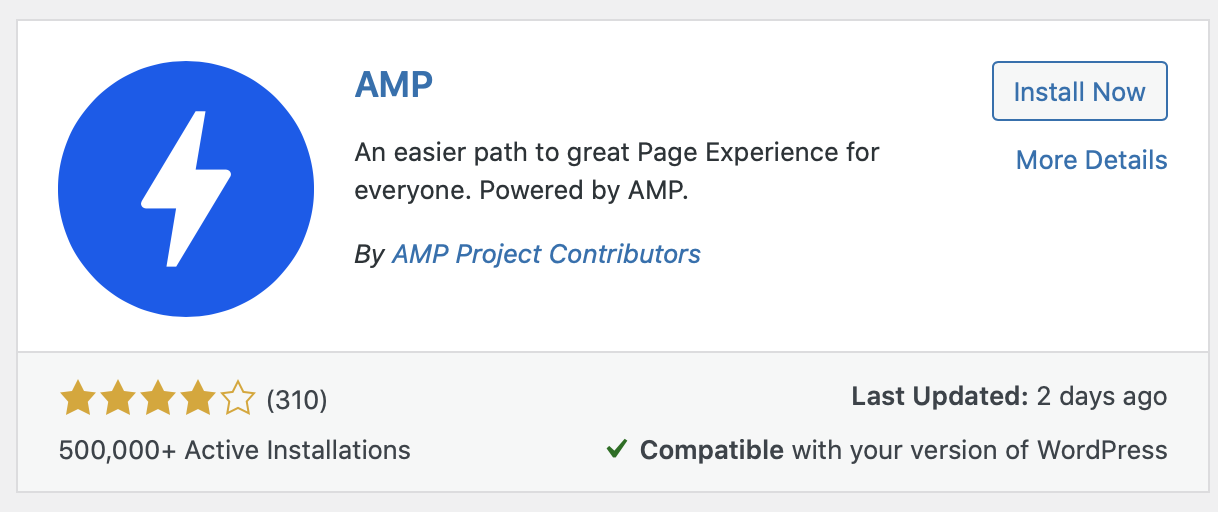
    The first Google AMP WordPress plugin is AMP which you can download here. This plugin is the official Google AMP plugin for WordPress. How to install the Google AMP plugin is also the same as how to install WordPress plugins in general.


    After the installation is complete, just activate the plugin and AMP will automatically run on your website.

    You can also adjust the appearance of the AMP page through the Appearance > menu. However, the display settings here are very limited where you can only change the color.

    AMP

    Using the AMP Plugin for WP

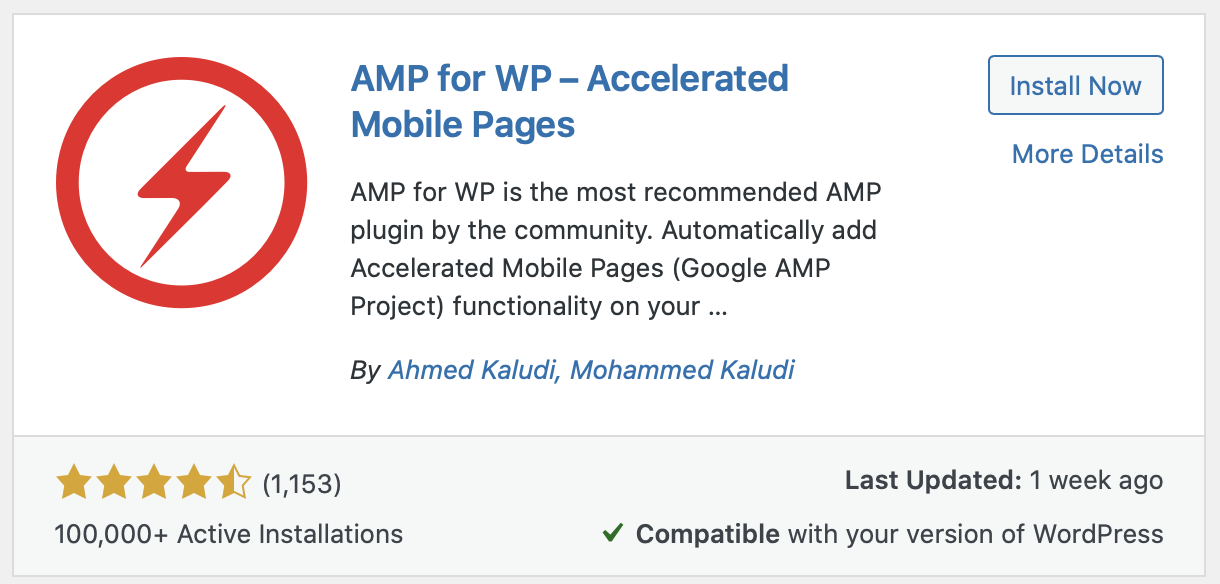
    The second Google AMP WordPress plugin is called AMP for WP which you can download here. This plugin can be an alternative because it is more feature rich than the official version. Such as more complete display customization options, being able to use analytics other than Google Analytics, and many others.

    You can install the AMP for WP plugin like a regular WordPress plugin. the advantage is that you can fill it as needed.

    AMP
  • HTTP Status Codes Error Explained

    HTTP Status Codes Error Explained

    HTTP status codes are 3 words responses from the server to the site request. Everyone has probably gotten the classic 404 page-not-found error. That is an HTTP client error status code and there are a lot more of them.

    Each Status-Code is having a unique meaning you should understand why, we will discuss it further more in this article.

    1. 1xx Code (Information Responses)

    1xx Informational status code means that the server has received the request and is continuing the process. A 1xx status code is purely temporary and is given while the request processing continues. For most tasks, you won’t encounter these much, as it’s not the final response to the request.

    A client MUST be prepared to accept one or more 1xx status responses prior to a regular response, even if the client does not expect a 100 (Continue) status message. Unexpected 1xx status responses MAY be ignored by a user agent.

    Proxies MUST forward 1xx responses, unless the connection between the proxy and its client has been closed, or unless the proxy itself requested the generation of the 1xx response.

    2. 2xx Code (Successful Responses)

    This class of status codes indicates that the request was successfully received, understood, and accepted. This is generally the one you want to see, as it means that the request was a success and has been received, understood, and accepted.

    3. 3xx Code (Redirecting Responses)

    This status code has a meaning that you have been redirected to another URL and the completion of the request requires further action. Redirects are commonly found on the internet and you don’t need to be scared to have 3xx redirect status codes on your website. A redirect means that the request was received successfully, it will redirect it to another URL.

    4. 4xx Code (Client Error Responses)

    A 4xx Client Error status code means that the website or the page could not be reached and either the page is unavailable or the request contains bad syntax. The request could not be understood by the server due to malformed syntax.

    5. 5xx Code (Server Error Responses)

    A 5xx Server error status code means that while the request appears to be valid, the server could not complete the request. If you’re experiencing 5xx server errors for your website, you should immediately look at your server. When looking at things SEO-wise the 500 Internal Server Error indicates a problem with the server, not the availability of the content. it will affect the authority of your page that will go down fast. Read More

  • SEO Ranking Factors you should know

    SEO Ranking Factors you should know

    1. High Quality Content

    You might know by reading it in several places that content is the most valuable thing in google SERP. And in the case of Google ranking factors, it’s the most important SEO ranking factor and it’s definitely the king.

    If you can create content that’s unique, fresh, and helpful for users, then Google will rank it higher on its search engine page results (SERPs).

    Google pays attention to your content quality. No matter how well broomed your website is, if your content is not useful, then you can’t expect higher rankings.

    2. Backlinks

    After content, the second most important Google ranking factor is backlinks. They are an important part of Google’s ranking algorithm and it’s how Google crawler finds your website for indexing.

    3. Search Intent

    Another crucial ranking factor for Google is matching the search intent of your content. Search intent is basically what a user is looking for.

    Every keyword is different on Google and you need to understand the why behind that search query.

    So, if you were to create content on either of the topics, it’s important to match the search intent and create the right type of content.

    Now, search intent could vary based on content format and style. For instance, in some cases, Google will display only videos and infographics in the top results. This means you should be creating a video or an infographic if you want to rank for those keywords.

    Are they looking for basic information about your products, do they want a tutorial like a how-to article or are they ready to make a purchase?

    By matching the search intent, you can answer these questions and create content that people are looking for.

    4. Website Loading Speed

    Among 200 different Google ranking factors, another factor you should focus on is your page speeds. That’s because starting May 2021, Google will make website loading speed a part of its Core Web Vitals.

    These are a set of factors that Google considers are important for user experience on your site. It will look at the speed, responsiveness, and how quickly different elements like fonts and images load.

    Now the goal here isn’t to beat your competitors with milliseconds of load time. But you should pay attention to how fast a page loads for your users.

    Google wants your website to load quickly and provide a great user experience for your audience.

    To check your website loading speed, you can use the Google Page Speed Insight or other tools.

    It will analyze your website, display a score for mobile and desktop, show important metrics about your page load times, and highlight suggestions to make your site even faster. – Sagara Technology

  • Off-page SEO Optimization guide For Your Website

    Off-page SEO Optimization guide For Your Website

    After optimizing your on-page SEO, you must be wondering why your website still can’t rank 1 in search engines. Even though your effort to work on content is already high, maybe you forgot off-page SEO optimization.

    What is Off-Page SEO?

    Off-Page SEO is an SEO optimization step that is carried out outside your website. This optimization will support On-Page SEO efforts that focus on improving your website’s internal factors.

    To apply its techniques well, you have to use multiple platforms. Starting from other websites, social media, to online forums.

    Off-Page SEO is not enough just to do link building as many people know.

    What is the different between off-page SEO with On-page SEO?

    SEO optimization has to be done internally and externally through various platforms.

    Optimizing your website pages is usually called on page SEO, while optimizing outside the website is called off-page SEO.

    Is off page SEO important?

    Off-Page SEO also determines your ranking on Google.

    Google itself uses many factors to assess a website. which google values ​​include internal and external factors. The factor is then calculated using a formula that is owned by Google and is not widely published clearly.

    However, some research, such as that conducted by Moz, a company engaged in the SEO field, shows that Off Page SEO can affect up to 50% of Google’s assessment.

    That is, if you ignore Off-Page SEO because you think On-Page SEO is enough, then you need to do it from now on.

    It doesn’t stop there, Off-Page SEO is also useful for building website credibility.

    Because Off-Page SEO efforts are carried out on various platforms, if successful, your website will be found more often, especially in relevant niches. In the end, this condition will increase your credibility in the eyes of netizens and Google.

    in the end, it will be easier for you to get high rankings because it is already trusted by Google.

    How to optimize off page SEO

    Before doing other optimizations such as link building. You have to make sure your content is good or not.

    Put More Effort on the content

    before doing other off-page optimization such as link building. You have to put your effort into your content. If your content is good, people will definitely continue to see your content, share your content, or even your content will be published in big media and get backlinks.

    Link Building

    Link building is an activity to get links from other websites (backlinks).

    Backlinks are one of the main factors in Google’s assessment because the number of links from various relevant websites shows that the website is a trusted source.

    In fact, the number of backlinks on a website will indeed make the website occupy the best position in search results.

    Websites that are ranked first on average have 3.8 times more backlinks than the second to tenth positions.

    However, make sure that each of your backlinks is of quality, yes. If you have a lot of backlinks, but they come from a mock-up and irrelevant website, then Google will consider it spam.

    Local SEO Effort

    Local SEO strategies make it easier for customers to find your business because it displays the full business name with address and contact.

    In addition, local SEO also allows visitors to rate your business services and products.

    With these indicators, Google will be sure to recommend your business to more people. You will also get more visitors.

    Increased EAT

    EAT stands for Expertise, Authoritativeness, and Trustworthiness. EAT is one indicator of the quality of a website according to the Search Quality Evaluator.

    With EAT, Google knows how to trust a website. This means that Google can ensure that the search results displayed are the best and most accurate.

    E-A-T is an important off page SEO factor. This is because Google is increasingly fighting hoaxes or misinformation in search results. Especially, in the health sector because it can be fatal.

    In addition, “providing fast and accurate results” is Google’s main selling point. If Google can not fulfill it, of course people will leave it and switch to other search engines.

    Active in Various Online Forums

    Off-Page SEO techniques through forums are actually starting to be abandoned. Because many abuse the forum as backlink spam. So, even result in Google’s punishment.

    Usually, website owners just enter a website link every time they reply to a comment without paying attention to the context. Sometimes they only make topics just for website promotion.

    Well, if you really want to use this method, make sure to provide a link that is relevant to the discussion on the forum. In addition, you must actively answer questions and make posts that raise the latest issues without focusing solely on link placement.

    Conclusion

    Off-Page SEO is an important effort that you must do so that your website gets a ranking on Google.

    With these various Off-Page SEO efforts, the credibility of your website will increase and your ranking in search results will be better.

  • How To Fix 404 Error Not Found

    How To Fix 404 Error Not Found

    One of the most common issues raised by website owners is the 404 error. The occurrence of this issue is surely frustrating because it can damage your website visitors’ experience.

    The good news is that you may quickly resolve Error 404. In this article, we will show you how to totally resolve Error 404.

    However, before we get there, let’s define Error 404 and the reasons that contribute to it.

    What Is a 404 Error?

    A 404 error is a warning that appears when your browser is unable to locate the page or file you are attempting to visit. It is possible that the accessed content has been lost, modified, or corrupted.

    Error messages such as “Error 404 not found” can be generated by a website script. Another problem could be the hosting server where your website files are stored.

    Reason Error 404 Not Found

    There are multiple common explanations for a 404 error to display in your browser, four of them are as follows:

    Incorrectly typed URL

    Actually, the cause is a simple one: you typed the erroneous URL into the browser. For example, instead of https://sagaratechnology.com/blog, go to https://sagaratechnology.com/blig.

    Error in Caching

    It’s possible that your browser is unable to locate your website’s cache file for any reason. Remove the error.

    DNS configuration issues

    It frequently occurs when you wish to gain access quickly, despite the fact that your domain has not yet been pointed to the server, i.e. it is still propagating or taking time to resolve.

    What You Should Know About 404 Errors on Your Website

    So now you know what these mistakes are. Now you must determine what produces 404 errors.

    There could be a variety of causes for your website’s 404 issues.

    If you recently destroyed or removed pages from your site without forwarding their URLs, you will receive 404 errors.

    404 errors can also occur if you relaunched or transferred your domain without redirecting all of your old URLs to the new site.

    404 errors might occur as a result of altering the URL of a page. A 404 error will be generated if any component of the URL is changed, whether it is a category name or the page’s slug.

    A 404 page and a broken link can come from mistyping a URL in an internal link.

    How To Resolve a 404 Error?

    There is a good likelihood that your website has 404 not found issues. Before you get too worried, know that a few broken links are common. The majority of websites will experience a 404 Page Not Found problem at some point. What you should do, though, is keep track of them and fix them on a regular basis. It is critical to fix mistakes as soon as possible in order to keep people from encountering them.

    Now comes the most important part:

    Page redirection

    The quickest and most straightforward solution to resolve your 404 error code is to redirect the page to another. A 301 redirect can be used to accomplish this goal. What exactly is 301, you may wonder? It’s a redirect response code that tells a browser that the content has been moved to a different URL.

    Repair the connection

    Error is human, and mistakes can occur. Sometimes individuals simply misspell a URL. If this is the case with your 404 error code, make sure you correct the URL.

    Restore pages that have been erased

    In some circumstances, visitors will come to your site looking for a page that you have removed. People will not stop looking for a page simply because you removed it from your website. People may also arrive at the page via external connections. You can always restore a deleted page to fix this. Unless there is a compelling business purpose to retain that page in place. If not, make sure that when you want to eliminate some pages from your site, you redirect them to sites with similar content.

  • Hard Selling vs Soft Selling: What’s Better for Your Business?

    Hard Selling vs Soft Selling: What’s Better for Your Business?

    The discussion of which is better between hard selling vs soft selling never ends. Besides content writing, these are also significant things in marketing. Both of them are strategies that aim to generate conversion. But is there really a better choice between them? Well, let’s first discuss what both terms really mean.

    Hard Selling

    Perhaps the simplest definition of hard selling is that it emphasizes making sales fast. It clarifies the opportunity cost of not making a purchase. This strategy is used when sellers feel like they are running out of time and need to generate conversion immediately.

    This method is effective for some conditions, yet it is often considered an aggressive method because of its direct approach to consumers. It often makes consumers uncomfortable because they feel like they are being rushed to make transactions.

    Imagine you want the customers to buy a razor from you. A hard selling technique to sell it is by telling them all the good features of the product and urge them to buy it now. This is an illustrative dialog:

    “Hey, mate! Look at this razor. It is keen, safe, and has a good design. It’s a limited edition so if you don’t buy this now, you’ll regret it for the rest of your life!”

    Soft Selling

    Differ from the former strategy, it tends to put more concern in establishing rapport with customers. You might need to spend more time learning about your customer’s needs. In other words, you must have a better understanding of customer’s points of view in regards to their decision in making purchasing.

    For an instance, we can use the precedented example about selling razors. By doing soft selling technique, you are supposed to make your customer understand the need of buying the products, not just bluntly tell them the good features. You need to dig into their emotion in order to encourage them to purchase. This is an illustrative dialog:

    “Hey, mate! Wouldn’t it be great if we can check emails while shaving at the same time? It will save a lot of time! Well, this razor has technology so it is completely safe. Not forget to mention the appealing and sturdy design so you can grip it better while doing something else. With this razor, you will stay attractive as well as productive because you can multitask and no worry about if shaving hurts you.”

    Which one is better? Hard selling vs soft selling

    Those illustrations above are a simple example, yet it shows you the main difference between them. Hard selling is more obvious, straightforward, and it seems quite pushy. On the other hand, soft selling makes the customer feels the need to do purchasing.

    It is true that for some products, people will buy them no matter the circumstances. But, what if there are dozens of similar products? Of course, you need to be creative so people want to buy yours.

    Nonetheless, as indirect selling, soft selling takes more time. But the connection between your brand and loyal customer is more sustainable. 

  • Core Web Vitals, Here the Optimization Guide

    Core Web Vitals, Here the Optimization Guide

    On May 28, 2020, Google announced that it would use a new ranking factor. The variable in question is page experience or visitor experience when accessing website pages. These factors will be measured by a set of indicators called core web vitals.

    so that later website rankings in search results can be maintained or improved, let’s get to know the ins and outs of this factor!.

    What are Core Web Vitals?

    Core web vitals are a collection of website metrics defined by Google. This set of metrics is defined as part of Google’s latest search ranking indicator, namely page experience.

    With the existence of core web vitals, website owners have three clearer aspects to measure the effectiveness of their website pages, namely loading speed, whether or not the response of website page elements and page layout stability.

    Google says that the likelihood of visitors leaving the website will decrease by 24 percent if you can optimize the three aspects above. Not only that, but it also affects SEO. This effect will be discussed at the end of the article.

    Core Web Vitals Indicator

    As mentioned above, it consists of three indicators. Well, Google has its own terms for all three:

    LCP (Largest Contentful Paint) — related to website speed
    FID (First Input Delay) — related to whether or not the response of website page elements
    CLS (Cumulative Layout Shift) — deals with the stability of website page layouts

    How to Check to Check it

    Currently, there are several tools that can display core web vitals data:

    • PageSpeed Insights
    • Google Search Console
    • Chrome UX Report
    • Chrome Web Vital Extension
      However, you don’t need to use all four tools at the same time. We recommend that you use Google Search Console and PageSpeed Insights.

    Effect on SEO

    Core web vitals will indeed be one of the ranking factors in Google search in 2021. However, you should not forget about other factors that affect a website’s position in search results.

    It will be used as an assessment indicator if Google finds two good web pages from various SEO aspects.

    For example, you want to create content. The bad news is that competitor content that is already ranked first is very complete and well structured. Other SEO indicators are also strong.

    Well, in cases like this you need to make sure your LCP, FID, and CLS scores exceed those of your competitors. Not only when you want to create new content, but also when you want to optimize old content.

    In essence, it is one indicator of SEO. However, you should still pay attention to the quality of the content and its relevance to the wishes of the searcher.

  • SEO vs PPC: Which is Better For Your Website?

    SEO vs PPC: Which is Better For Your Website?

    In the world of digital marketing, we know SEM, SEO vs PPC which discusses at least three acronyms (abbreviations) namely SEM, SEO, and PPC. These three abbreviations relate to marketing activities using websites and involve searching engines. However, most of the players in the digital marketing world think that SEM, SEO, and PPC are essentially the same.

    Definition of SEO and PPC

    SEO is web optimization through search engines or search engine optimization, the result of which is the ranking of a website’s position based on targeted keywords. For example, a website is created to target the keyword “web optimization services”. So after the optimization is complete, when a user or internet user searches for a website with the keyword “website optimization services” through a searching engine, this website is on the first page of search results.

    PPC stands for Pay Per Click, which means you pay a deposit to advertise your website on search engines. This deposit fee will only be reduced (paid) when someone clicks on the website page. The more people click on the website, the longer the deposit fee will be entirely owned by the searching engine. So to advertise again, the website owner needs to update the deposit amount.

    Which is More Powerful SEO vs PPC?

    When running a marketing project through search engines, which one is more effective, SEO vs PPC? In this case, the answer to this question cannot be seen from the point of view of economic expenditure alone, but it is wiser to look at the following facts.

    SEO vs PPC cost money

    Is it because of the existing definition that organic traffic is preferred? Better not rush. In terms of financing, organic traffic is not necessarily obtained at the minimum possible cost. Because the pattern of working to get organic traffic also costs money in some cases. See how to optimize a website.

    PPC certainly requires financing. If the PPC method is considered and evaluated, of course, there will be a way to reduce advertising financing for this PPC. So, between these two methods, all of them cost money.

    Between SEO and PPC do not outperform each other

    Between the two methods, namely increasing organic search and advertising, did not eliminate each other. Both can be done and give results that are equally visible on search engines. So it could be, when the user performs a search, there will be ads and web pages at the same time. However, it is also necessary to evaluate whether in certain cases both are needed or only one of them is sufficient?

    Rely on Traffic

    Supposedly, this is the benchmark to answer which one is chosen between SEO or PPC. Based on existing traffic. Always pay attention to your website traffic, make sure what percentage is between organic search and ad visitors. So far, there has never been a condition where 100% organic search while 0% ad visitors or vice versa. Both always give the results just different comparisons.

    So, which of the SEO vs PPC will be used in the ongoing SEM project? Use both and pay attention to the percentage comparison of the two. Distribute financing at the highest percentage and it may be different every month. This is the right one in our opinion.

  • Benefits of Using White Hat SEO

    Benefits of Using White Hat SEO

    Search Engine Optimization (SEO) has an important role in the world of digital marketing. This has happened since Google got its prestige as the most favorite search engine. When benefits white hat SEO was still in its infancy, the content was the only thing needed to rank higher and better on search engine pages.

    What is White Hat SEO?

    White hat SEO is a subset of search engine optimization tactics designed to improve a website’s position on search engine results pages (SERPs).

    The results obtained from this search engine do not come from a paid system or commit fraud. This method is taken naturally and authentically, following the rules of Google, referred to as organic search results.

    Tactics to improve a website placement in search results include:

    • Ensure that titles and URLs include important keywords.

    • Adding quite relevant keywords to the page text.

    • Add links and buttons that will draw readers deeper into the site.

    • Display links to social media accounts and interacts with users on those accounts.

    • Post video content.

    Benefits of Using White Hat SEO

    Having a website to do business online cannot be done haphazardly. Building a business and then trying to achieve the best ranking in the SERPs requires more effort, not to mention the costs that must be incurred. So you have to make sure that every step you take must be correct and appropriate. For that, you need to do white hat SEO techniques.

    However, white hat SEO techniques can take a lot of time and a lot of hard work. However, you will get assurance and security from the Google Spam team. Here are some of the advantages of using white hat SEO techniques in building backlinks.

    Penalty-Free

    Since you comply with Google’s algorithms and rules for building and running your website, you don’t have to worry about getting penalized. This is the big difference between black hat and white hat SEO.

    Cheaper

    White hat SEO does not require expensive automated tools to help you improve your site’s rankings. White hat SEO is more focused on long-term goals, so it takes a lot of time to feel the results. You don’t have to spend a lot of money, but you have to work harder and need more patience.

    Building Stronger Relationships

    Using white hat SEO means that you need to publish content that is high quality, original, and has more value for site visitors. Informative and entertaining content will leave a lasting impression on on-site visitors and will rethink that they will keep coming back for more.

    Healthy Website Ranking

    Why is that? Because the risk in using white hat SEO is smaller and the results are stable. You can see that the results may be slower than using black hat SEO, but you will also realize that the results will continue to improve over time, according to the motto: slowly but surely.

    Won’t Tarnish Your Reputation

    Another significant advantage of using white hat SEO is the fact that it will not damage your company’s brand and reputation. Both black hat and white hat SEO will get you noticed by Google.

    By using white hat SEO, you will look positive in the eyes of search engines. Google will tell you to respect and follow search engine guidelines, thus, Google will consider your website trustworthy enough.